
File Picker
Merge’s File Picker is built into our embedded Merge Link component and provides a user-friendly interface for your customers to browse Files, Folders, and/or Drives in their connected File Storage account. File Picker does not impact your File Storage Linked Account syncs unlike Selective Sync.
Demo video
Watch this quick video to learn the basics of how Merge’s File Picker works.
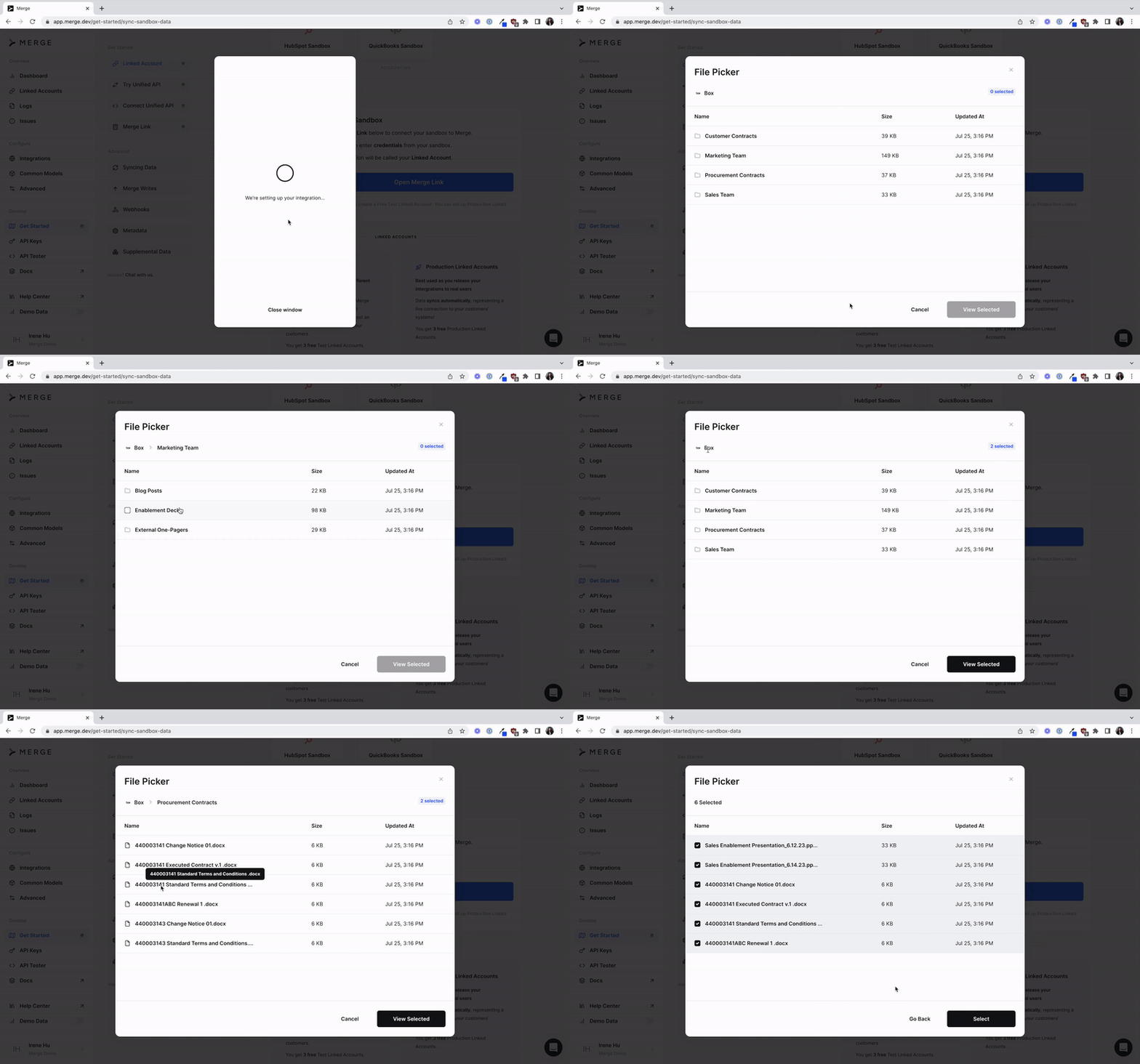
Setting up Merge Link with File Picker
To set up File Picker, please follow our Embedded Link guide to add our drop-in Merge Link component to your app.
Make sure you have the latest version of react-merge-link
Enabling the File Picker only requires a few additions to step 2.
In addition to following step 2 of our Embedded Link guide, you will need to add a new parameter filePickerConfig.
onSubmit is the only required input to filePickerConfig, and returns an array of selected objects from your user’s workspace.
This input is a callback and is left as console.log() in this example for you to decide how to handle Files, Folders, and Drives that your users have selected in the File Picker. If you are testing the File Picker in your dashboard, no callback is provided and the File Picker will automatically close on submit.
In this example, the File Picker configuration allows multi-select of Files and Folders.
See details about each filePickerConfig input below.
Configuration inputs
Merge File Storage data
MergeFileStorageData properties should match our File Storage Common Model properties for the given workspace object type.
Select the object type to see its corresponding properties and example response.
File
Folder
Drive
The File object is used to represent a file in the workspace. The response properties match the File Common Model.