
Analyze projects
Analyze the project status of tickets
1. Authorize integration
Your user signs onto your app, and authorizes a connection with their specific Project Management platform. Merge begins syncing their ticketing data.
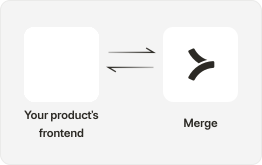
2. Pull data from Merge
Your app is able to get the data it needs with:
- Use GET /Tickets to perform an ingest of your customers’ tickets and pull significant fields such as ticket
status,type,due dateand more. - Use endpoints like GET /Collections to understand additional dimensions about your tickets such as grouping by specific project types.
- If you’re only looking to update tickets created after a certain time period or part of a specific project you can use various query parameters to GET this including
created_afterorcollection_id.

Set up Supported Webhooks so that you can be notified when new tickets are created or when any changes occur in your customer’s ticketing system.
3. Build your UI
In your front-end, create the components and UI that will allow your app to reflect the ticket status.
- With your customers’ ticketing data, you can visualize ways to easily track the status of every project, or an analysis of the underlying information.

4. Improve your users' productivity
With visibility of all tickets in one place, your users can see every single ticket or task associated with different projects. From here, they can update information to allow cross-team collaboration and improve efficiency.