Security Rules
Merge Agent Handler’s Security Gateway scans tool inputs and outputs, and allows you to configure rules to prevent sensitive data being sent to and from your AI Agent.
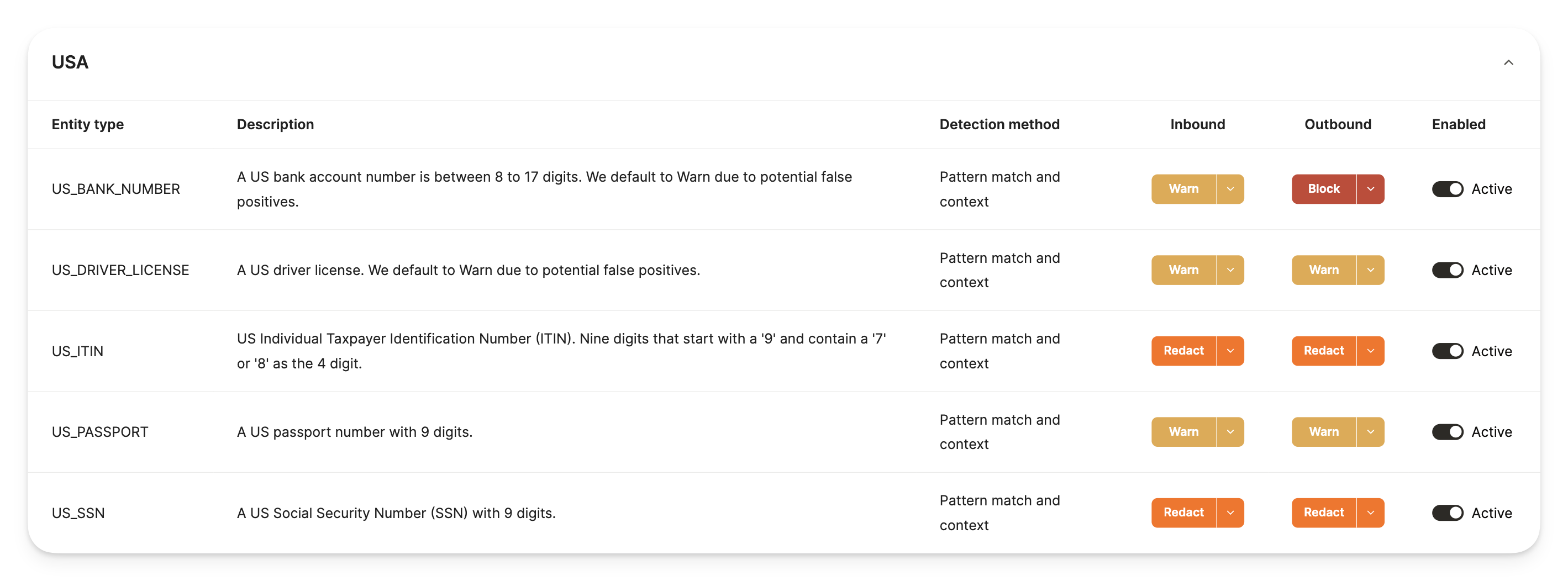
Within the Rules page of the Dashboard, you have the ability to activate a set of out-of-the-box entity rules, and configure actions on the Outbound (Merge Agent Handler to third party) tool call inputs. Entity Types are predefined recognizers for PII (Personally Identifiable Information) entities. The Security Gateway scans tool calls for these specific entity types and takes action based on what’s configured within the platform.
Actions include:
- Warn: Allow the tool call to go through without action
- Redact: Allow the tool call to go through, while redacting flagged entities
- Block: Block the tool call from going through to the third party, or block the response from reaching your agent
All security rule violations will generate a log within the Alerts dashboard
Available Entity Types
- Credit Card number
- Crypto Wallet number
- Date & Time
- Email Addresses
- International Bank Account Number (IBAN) Codes
- IP Addresses
- Nationality, Religious, or Political groups (NRP)
- Location
- Person details (name)
- Phone Number
- Medication License numbers
- URLs
- US Bank Number
- US Drivers License number
- US Individual Taxpayer Identification Number (ITIN)
- US Passport number
- US Social Security Number (SSN)
Creating custom rules
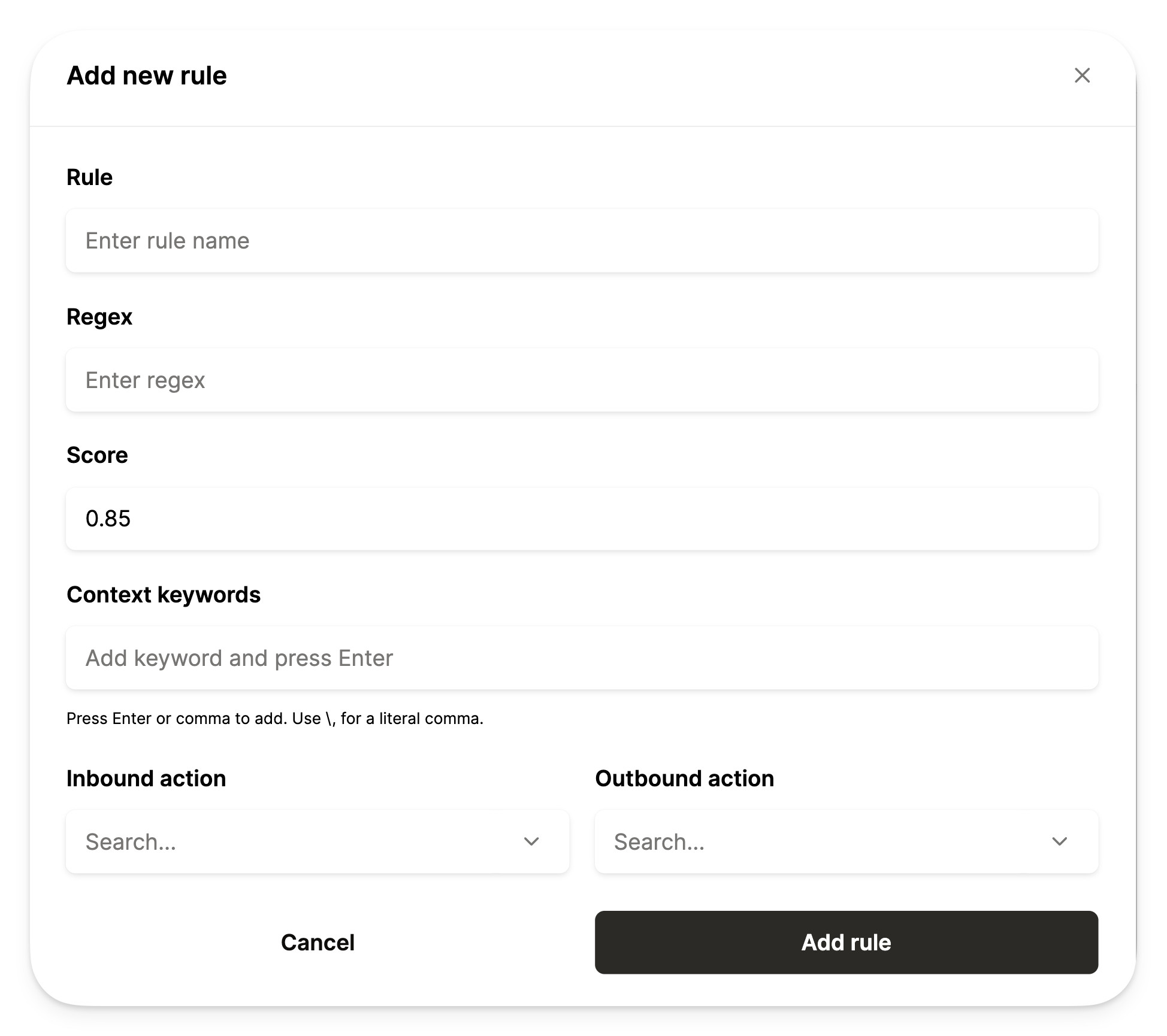
For more granular fine-tuning or customization around security rules, you can create your own custom rules by entering specific regex, scoring, and context key words:
- Regex: Used to match specific patterns within the tool call inputs
- Scoring: Used to determine how likely content is to be sensitive based on matches
- Context key words: Used to provide extra clues to confirm sensitive data