
Tool Pack Tester
Learn how to create a test user and leverage an in-app tester.
Step 1: Create a test Registered User
- Navigate to the Test Registered Users page in dashboard
- Click ”+ Add Test Registered User”
- Enter the following information:
- Name of your test user
- Unique identifier of your test user
- Company your user belongs to. You can also create a new company to group the user.
- Additional groupings of the user (optional)
- Click “Create”
Step 2: Register a new Tool Pack or click into an existing one
- Navigate to the Tool Packs page in dashboard
- Either click ”+ Register new Tool Pack” and go through the process of creating a new tool pack, or click into an existing one.
Step 3: Initiate Tool Pack Tester
-
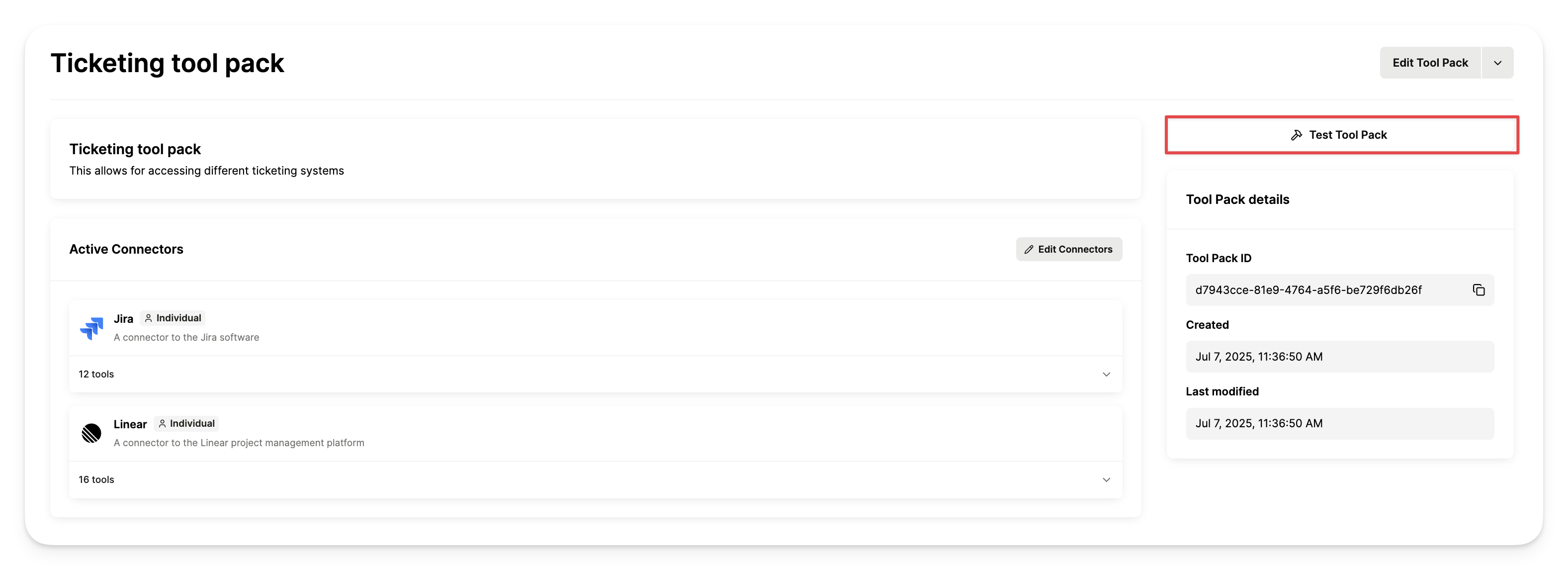
Within a Tool Pack, click “Test Tool Pack” in the top right corner.
-
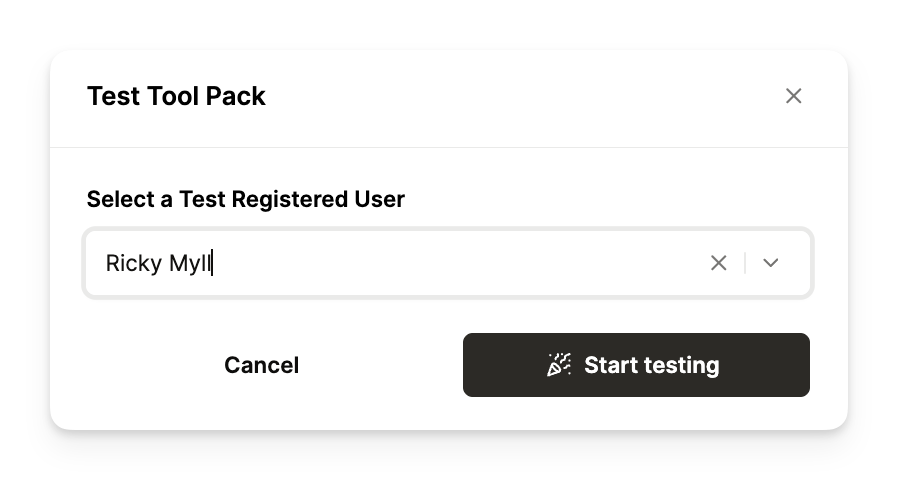
Select a Test Registered User to sudo as while interacting with the Test Tool Pack agent.
-
Start interacting with the agent and begin testing tools available in the tool pack!
-
If your Registered User is trying to call a tool from a system they’ve never authenticated to before, they’ll be prompted for credentials through AH Link.