
Overview
Merge Agent Handler
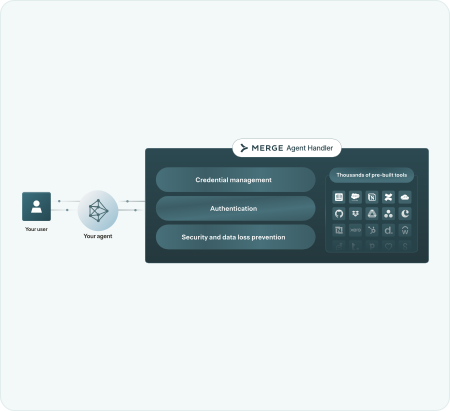
Merge Agent Handler securely connects AI agents to third-party tools via the Model Context Protocol (MCP). It manages authentication, permissions, and monitoring of all tool interactions.
Agent Handler includes:
- Prebuilt connectors for common enterprise systems
- Built-in authentication and credential handling
- Observability and data-loss prevention controls
Key concepts
The high level flow of Merge Agent Handler is: you register a user so they can connect to third party data providers. That user then takes actions through your agents. As users take actions, Merge Agent Handler scans tool inputs and responses for sensitive data, and prevents data misuse based on configurations you set in the platform.
Data flow diagram
How your product will interact with Merge Agent Handler
Merge Agent Handler sits in-between your AI agent and third-party tools.
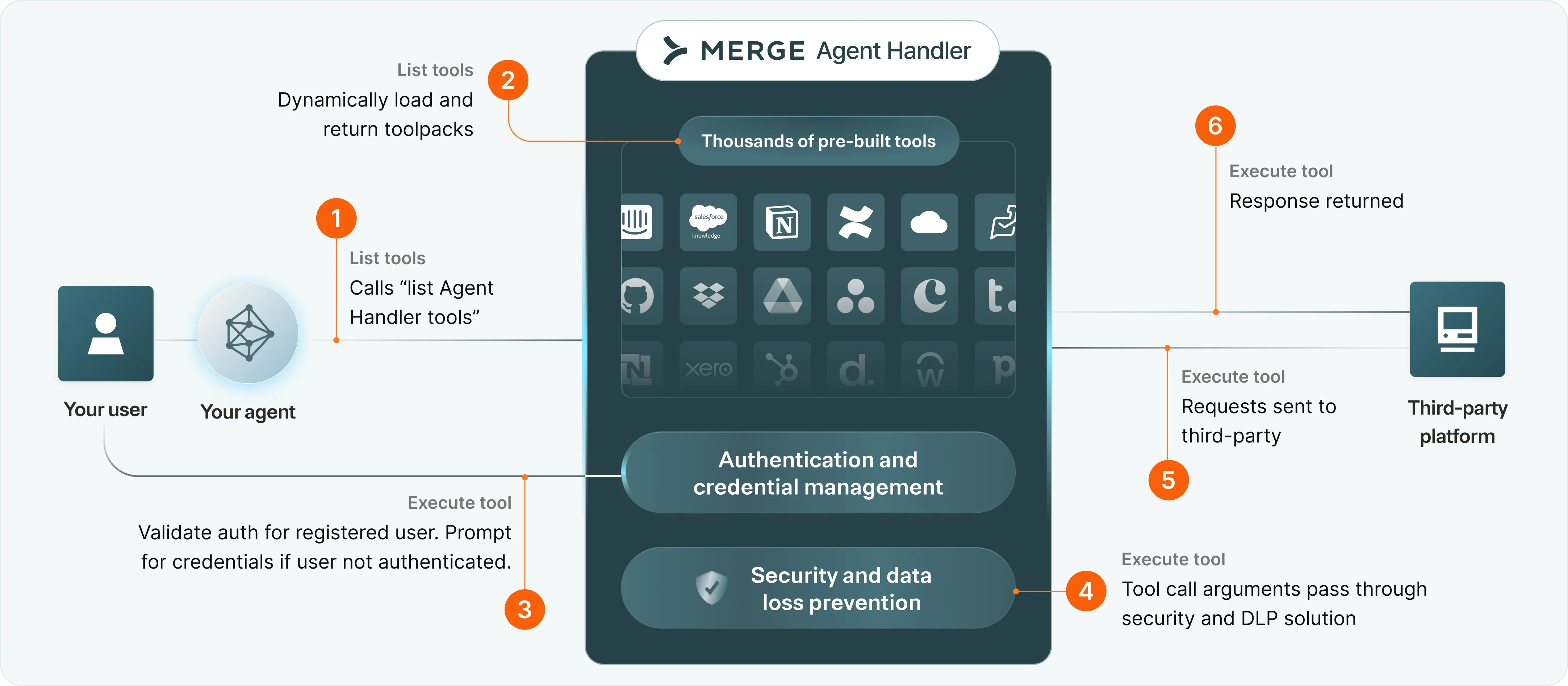
A workflow could look like:
- Your user will call Merge Agent Handler to list all tools available for your registered user to use
- Merge Agent Handler will respond with the available tools enabled in the Tool Pack
- Your registered user prompts your agent to connect. Your agent calls one of the available tools. If it’s your user’s first time interacting with a given connector, we’ll signal to prompt for the user’s credentials via Link.
- The tool call arguments are passed through the Security Gateway & DLP solution to scan for sensitive entities.
- The tool call is executed and the requests are made to the third-party.
- The responses are returned by the third party. They will pass through the Security Gateway once more, and then returned back to your agent.