
Collect security evidence
Pull and download relevant docs for security compliance controls
1. User authorizes file storage access
Your user authorizes your application to access their file storage service (e.g., Google Drive, Dropbox) via an OAuth or similar authorization flow through Merge Link.
2. Display file picker interface
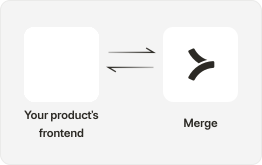
Present the Merge File Picker in your application where users can browse through their files and folders in the connected file storage service and select the ones relevant for compliance.

3. Retrieve and download selected files
Initiate the download of the selected files and folders from the file storage service. Use API endpoints like GET /files/{id} and GET /folders/{id} to access these, based on the files chosen by your user.

4. Compliance review and reporting
In your application, enable a feature where users can review the uploaded evidence and receive reports on their compliance status, highlighting any gaps or requirements.